
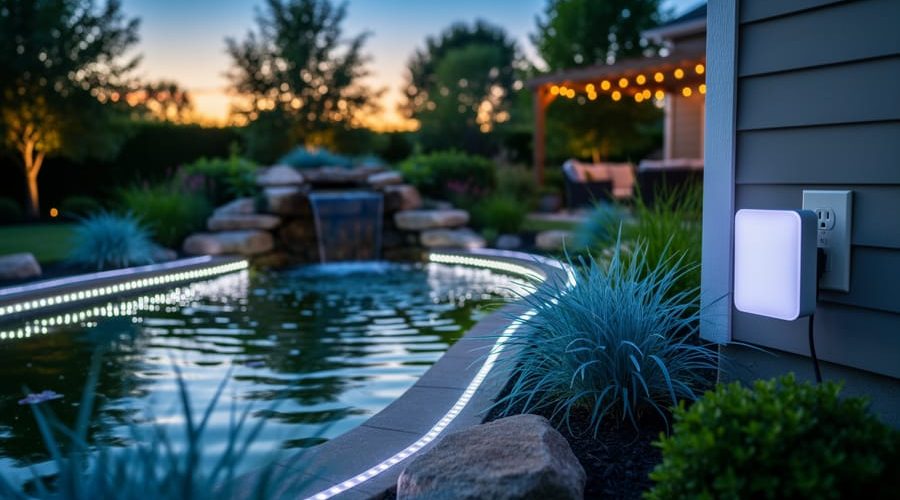
How to Control Smart Lighting for Your Water Garden in 5 Simple Steps
Controlling smart lighting around your water garden means installing Wi-Fi or app-enabled devices that let you turn pond lights on and off, set schedules, adjust brightness, and even change colors from your phone or voice assistant. The whole process takes about 2 to 3 hours for a typical pond setup and requires only basic electrical knowledge, though you’ll need to check that your existing lighting system is compatible with smart switches or plugs. Once connected, you can program sunset-to-midnight schedules, dim lights for a softer evening glow, or switch to vibrant blues and greens when you’re hosting friends by the water.
I added smart controls to my own pond lights three years ago, and the difference has been incredible. No more trudging outside in the dark to flip a switch, no more forgetting to turn lights off at 2 a.m., and I can now showcase my koi from inside the house with a quick tap on my phone.
The appeal goes beyond convenience. Smart lighting saves energy by running only when you want it, extends bulb life through dimming features, and gives you creative flexibility to match your mood or season. Whether you’re working with low-voltage LED strips along the pond edge or spotlights highlighting a waterfall, the right smart controller transforms a static lighting setup into a dynamic, responsive feature.
This guide walks you through equipment selection, safety prep, wiring and pairing, programming routines, and testing everything to make sure your system runs smoothly. You’ll finish with a pond that lights up on command and looks better than ever.
What You’ll Need to Control Your Water Garden Lights
Before you dive into transforming your water garden’s nighttime ambiance, let’s gather everything you’ll need. Having the right components from the start will save you trips to the store and ensure your smart lighting system works reliably in the unique environment around your pond.
The essential shopping list breaks down into a few categories, each playing a crucial role in creating a system that’s both smart and safe around water:
- Smart bulbs or LED fixtures, Choose outdoor-rated models (minimum IP65, ideally IP67 or IP68 for near-water placement) that support your preferred control protocol; these provide the actual illumination and color-changing capabilities
- Smart controller or hub, The brain of your system, which connects your lights to your home network via Wi-Fi, Zigbee, or Bluetooth; required unless you’re using standalone Wi-Fi bulbs
- Smartphone or tablet, Your primary control interface for programming schedules, adjusting colors, and managing scenes through the manufacturer’s app
- Waterproof connectors and junction boxes, Rated IP67 or higher to protect all electrical connections from moisture, rain, and pond splashes
- Existing outdoor power supply, GFCI-protected outlet within reach of your installation area, or low-voltage transformer if using 12V lighting
- Photocell sensor (optional), Automatically triggers lights at dusk, perfect for hands-free seasonal adjustments
- Motion sensor (optional), Activates pathway lighting when you approach the pond for evening maintenance or feeding
Each component matters because water gardens present specific challenges. That IP rating isn’t just technical jargon, it’s the difference between lights that last seasons versus ones that fail after the first heavy rain. The hub determines which smart home ecosystems you can integrate with later, while waterproof connectors ensure every junction point stays dry even during unexpected downpours. If you’re working with an existing pond lighting setup, you might already have the power supply and fixtures sorted, which means you’re just adding the smart control layer on top.
Safety First: Electrical Precautions Around Water
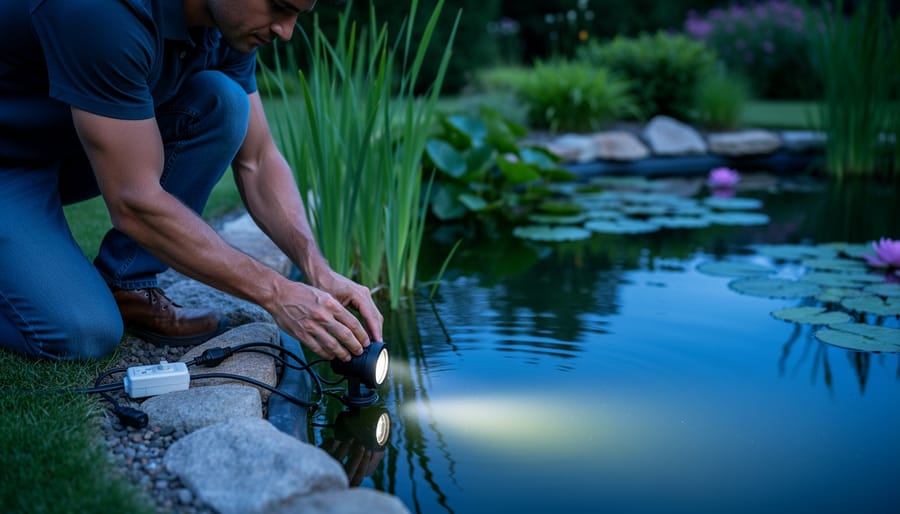
Working with electricity near water is inherently dangerous and demands your full attention to safety protocols. Water conducts electricity, and even a minor mistake around your pond can result in serious injury or death. Before you install any smart lighting system, make sure you understand and follow these essential precautions.
GFCI (ground fault circuit interrupter) outlets are non-negotiable for water garden installations. These devices detect electrical leaks and shut off power within milliseconds, potentially saving your life. If your outdoor outlets aren’t GFCI-protected already, hire a licensed electrician to install them before proceeding. Test your GFCI outlets monthly by pressing the test button to confirm they trip properly.
Turn off power at the circuit breaker, not just at the switch, before you touch any wiring or connections. Use a voltage tester to confirm the circuit is dead before you begin work. This simple step prevents accidental shocks during installation.
Check the IP (Ingress Protection) rating on every fixture and connector. IP67 means the component can handle temporary immersion up to one meter, while IP68 offers protection for continuous submersion. Anything less than IP67 should stay well above the water line and protected from splashing. Don’t assume a product labeled “outdoor” is safe for pond use, verify the specific IP rating.
Keep all wire connections and junction boxes above the highest water level your pond might reach during heavy rain. Use only waterproof wire connectors rated for direct burial or submersion, and seal them according to manufacturer instructions.
If you’re uncomfortable working with electricity, unsure about your home’s electrical system, or planning to run new circuits, call a licensed electrician. This isn’t the project to learn electrical work on the fly. Proper glare control and stunning lighting effects mean nothing if the installation isn’t safe. Spending money on professional help now beats dealing with the consequences of an electrical accident later.
Step-by-Step: Setting Up Smart Control for Your Pond Lights
Step 1: Install Your Smart Lighting Fixtures
Start by positioning your smart lighting fixtures where they’ll have the most impact. Place spotlights at the base of waterfalls to create dramatic upward illumination, tuck lights behind rock formations to cast gentle shadows, and angle submersible fixtures toward your favorite plants or along paths where koi gather. Avoid pointing lights directly at the water surface, this creates harsh glare. Instead, aim for side lighting or underwater angles that reveal depth without blinding anyone looking at the pond.
Before making any electrical connections, double-check that your fixtures carry proper waterproof ratings. Look for IP67 or IP68 certification on both the bulb housing and any junction points. When connecting wires, use marine-grade waterproof connectors with heat-shrink tubing, not standard wire nuts. Push connections firmly together, then seal them according to the manufacturer’s instructions.
Secure each fixture so it won’t shift during routine maintenance or heavy rain. Use stainless steel stakes for ground-mounted lights, and attach wall-mounted fixtures with rust-resistant hardware. For submersible lights, weight them with stones or use suction mounts designed for underwater use.
Once everything is positioned and connected, plug in the power and verify each fixture lights up before moving to the next step. This catches any faulty connections early, saving you from diagnosing problems later when the system is paired.
Step 2: Connect Your Smart Controller or Hub
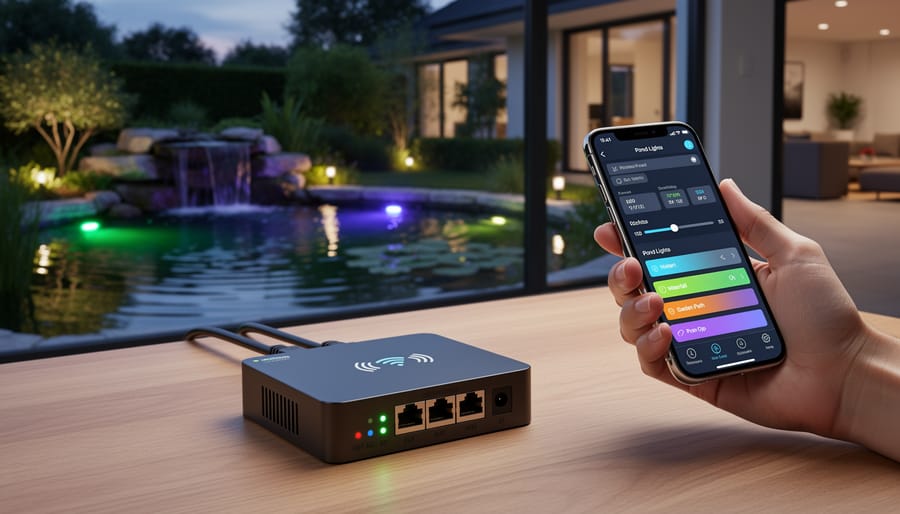
With your lights installed, it’s time to get the brains of the operation up and running. Your smart controller or hub is what lets you manage everything from your phone instead of walking outside to flip switches.
Start by plugging your hub into an indoor outlet near your Wi-Fi router, closer is better for the initial setup. Most hubs need to stay dry, so keep it inside your home or in a weatherproof outdoor electrical box if you’re setting up a dedicated pond system.
While the hub powers on (you’ll usually see a blinking light), grab your smartphone and download the manufacturer’s app. Search for the specific brand, Philips Hue, LIFX, Govee, or whatever system you chose. Open the app and create an account if you don’t have one already.
The app will walk you through connecting the hub to your home network. You’ll typically need to press a button on the hub itself, then select your Wi-Fi network and enter your password. Within a minute or two, the hub should show a solid light indicating it’s connected.
If your hub won’t connect, try these quick fixes: move it closer to the router, restart your router, make sure you’re using the 2.4GHz network band (many smart hubs don’t work with 5GHz), and double-check your password. Some systems also require Bluetooth to be enabled on your phone during setup.
Step 3: Pair Your Lights with the Control System
With your hub running and lights installed, it’s time to connect them so your app can actually control what’s happening around your pond.
Open your smart lighting app and look for an option like “Add Device,” “Discover Lights,” or the plus icon. Most systems will automatically scan for nearby lights. If yours doesn’t find them immediately, you may need to power-cycle each fixture, turn it off for ten seconds, then back on. Some bulbs require a specific reset sequence, like flipping the switch three times rapidly, so check your manufacturer’s instructions if pairing doesn’t start.
As each light appears in the app, give it a descriptive name right away. Instead of “Light 1” and “Light 2,” call them “Waterfall Uplight,” “Lily Pad Area,” or “Koi Viewing Spot.” You’ll thank yourself later when you’re adjusting settings and don’t have to guess which number controls what.
Once you’ve added all your fixtures, test each one individually through the app. Toggle them on and off, adjust brightness, change colors if available. This confirms the signal reaches every light and helps you catch any connectivity weak spots before you start programming schedules.
Finally, create zones by grouping lights that you’ll want to control together, maybe all your perimeter path lights in one group, accent lights in another. Most apps let you drag lights into custom groups, making it simple to adjust entire areas with one command.
Step 4: Program Your Lighting Schedules and Scenes
Now comes the fun part, telling your lights exactly when and how to shine. Open your app and navigate to the scheduling or automation section. Start with a basic schedule: set your pond lights to turn on automatically at sunset and off at midnight, or whatever hours suit your viewing habits. Most apps let you sync to actual sunset times, which adjust throughout the year without manual tweaking.
Next, create custom scenes for different occasions. A “maintenance mode” scene might use bright white light at full intensity so you can clearly see when you’re feeding fish or checking water quality. For evening relaxation, program a warm amber scene at 40-50% brightness that creates a cozy atmosphere without overwhelming your yard. Planning a gathering? Smart color-changing lights let you design party scenes with rotating hues or festive combinations.
Don’t overlook transition timing, gradual 5-10 minute fades between light color scenes look far more natural than abrupt switches. Adjust color temperature seasonally too: cooler tones complement summer greenery, while warmer shades enhance autumn foliage. Save each scene with a descriptive name you’ll remember when you want to activate it by voice or with a single tap.
Step 5: Add Smart Features and Automation
Now that your lights respond to schedules and scenes, it’s time to make them truly smart. Voice control is often the easiest upgrade, just link your lighting app to Alexa or Google Assistant through their respective skills or integrations. Once connected, you can say “turn on the waterfall lights” or “dim the pond to 30 percent” without pulling out your phone. It’s surprisingly handy when your hands are full of fish food.
Motion sensors add convenience for pathways leading to your pond. Mount a waterproof sensor near your walking route, and configure it to trigger gentle path lighting when you approach for evening feeding or maintenance. This prevents stumbling in the dark and creates a welcoming glow as you arrive.
Photocell sensors or smart plugs with light-sensing capabilities enable true dusk-to-dawn automation. Your system detects ambient light levels and switches on accent lights as natural daylight fades, then turns them off at sunrise, no manual scheduling needed, and it adjusts naturally as seasons change.
For deeper integration, explore routines that combine pond lighting with other smart devices. Create a “Pond Evening” routine that dims your patio lights, starts the fountain pump, and activates warm accent lights with a single command. These koi pond lighting hacks transform routine tasks into seamless experiences, letting you enjoy your water garden rather than constantly managing it.
Testing Your Setup and Fine-Tuning Performance
Now that your smart lighting system is up and running, you’ll want to spend a few evenings making sure everything performs as expected. Think of this phase as a dress rehearsal, you’re checking that all your automated scenes and schedules work smoothly before relying on them daily.
Start with a systematic verification checklist over the first three to five nights:
- Run through each programmed schedule at its actual trigger time. If you set lights to turn on at sunset, be outside to confirm they activate correctly.
- Test every voice command you’ve set up from multiple spots around your yard to ensure your hub hears you clearly.
- Open your control app from different rooms inside your house and from your patio to verify you have solid connectivity everywhere you might want to adjust settings.
- After the first rain or heavy dew, inspect all waterproof connections and fixture seals to confirm no moisture has gotten inside.
- Walk around your pond at full darkness to evaluate whether brightness levels actually look good, what seemed perfect on your phone might be too harsh or too dim in reality.
Pay special attention to how the lighting affects your viewing experience. That beautiful waterfall accent might create distracting glare on the water surface, or your underwater lights might be brighter than needed for comfortable fish watching. Don’t hesitate to dial down intensity by 20 or 30 percent if the effect feels too aggressive.
If lights occasionally don’t respond or drop offline, check your Wi-Fi signal strength at the pond. Moving your router closer to a window facing the yard or adding a Wi-Fi extender often solves connectivity hiccups. For lights that seem unresponsive, try power cycling them, turn off power for 30 seconds, then back on.
As seasons change, you’ll need to update your schedules. That 7 PM sunset trigger in June becomes 5 PM by October, so revisit your automation settings every few months to keep them aligned with natural daylight patterns.
Maintaining Your Smart Lighting System Year-Round
Your smart lighting system isn’t set-and-forget, a few regular maintenance tasks will keep it running smoothly through all seasons. Every two weeks during warm months, wipe down exposed fixtures with a soft cloth to remove algae, pollen, and mineral deposits that can dim the lights. Check your app monthly for firmware updates, which often improve connectivity and add new features, most updates install in under five minutes.
Adjust your automated schedules with the seasons, lights that turn on at 6 PM in December need to shift to 8 PM by June. Most apps let you create seasonal profiles you can swap between rather than reprogramming from scratch. In regions with freezing winters, disconnect and store submersible fixtures before the first hard freeze, and move controllers to a dry indoor location. If you live where power outages are common, consider a small UPS battery backup for your hub, it’ll maintain your programming and keep basic schedules running for several hours.
As your water garden evolves, you can expand the system without starting over. Adding new lights follows the same pairing process from Step 3, and you can create additional zones for new plantings or features. Keep an eye on how your current setup highlights plants and fish, excessive light levels can stress aquatic life and affect the effects on zooplankton in your pond’s ecosystem, so dial back brightness if you notice behavioral changes.
You’ve just unlocked a whole new dimension for your water garden. With smart lighting control in place, you can transform your pond from a daytime feature into an enchanting nighttime retreat at the touch of a button or the sound of your voice.
The process you’ve completed, installing your fixtures, connecting your hub, pairing your lights, programming schedules, and adding automation, gives you the power to highlight your favorite fish, accentuate that waterfall you worked so hard on, and create the perfect ambiance for every occasion. Whether you’re enjoying a quiet evening by the pond or hosting friends for an outdoor gathering, your lights now adapt to the moment.
Don’t be afraid to play around with different scenes and schedules. Try a soft amber glow one night, then switch to vibrant blues the next. Adjust timing as the seasons change. Your pond is unique, and the beauty of smart control is that you can fine-tune everything until it feels just right.
The combination of technology and nature you’ve created will bring you joy for years to come. Now get out there and enjoy those evening views, your water garden has never looked better.
Frequently Asked Questions
Can I use regular smart bulbs outdoors in my pond?
No, standard indoor smart bulbs aren’t designed for outdoor moisture and temperature extremes. You need smart lighting specifically rated IP67 or IP68 for waterproof protection, especially near or in water.
How much does a basic smart lighting system cost for a water garden?
A starter system typically runs between $150 and $300, including a smart hub, three to four waterproof LED fixtures, and the necessary connectors. You can expand gradually as your budget allows.
Will my smart lights work during a Wi-Fi outage?
Most systems revert to their last programmed schedule if Wi-Fi goes down, so your lights will still turn on and off at set times. You just won’t be able to control them through your phone or voice commands until the connection returns.
What’s the best color temperature for viewing fish at night?
Warm white (2700K to 3000K) works best for fish viewing because it creates less glare and doesn’t startle them as much as cooler, brighter whites. Many pond keepers also enjoy amber tones around 2200K for a relaxing evening atmosphere.
How do I prevent glare that disturbs my fish?
Point lights at an angle rather than straight down into the water, use lower brightness settings (30-50% intensity often suffices), and position fixtures to highlight plants or features instead of the fish directly. Your fish will get used to consistent lighting patterns over time.
Do I need a separate hub if I already have a smart home system?
If your existing smart home hub supports outdoor lighting protocols (like Zigbee or Z-Wave), you can often add pond lights to that same system. Check compatibility before buying new fixtures to avoid doubling up on equipment.
These questions come up constantly in water gardening forums, and for good reason. Getting the technical details right makes the difference between a system that enhances your pond experience and one that creates frustration or even harms your aquatic life.
The waterproof rating question is critical because water garden environments are uniquely challenging. You’re dealing not just with rain or humidity, but potential submersion, constant moisture, and temperature swings from freezing winters to hot summers. A fixture rated for “damp locations” simply won’t cut it when you’re mounting lights six inches above the waterline where splash is constant.
Cost concerns are valid, but remember you’re building a system you can expand over time. Start with lighting your waterfall or favorite plant cluster, then add more zones as you discover what you enjoy. Many pond owners find that three well-placed lights create more impact than eight scattered randomly, so quality and placement matter more than quantity.
The Wi-Fi outage question reveals an important reassurance: you’re not completely dependent on connectivity for basic function. Think of the smart features as convenient enhancements to a lighting system that still operates on its core programming. That said, if reliable control matters to you, consider a battery backup for your hub, especially if you live in an area with frequent power fluctuations.
Regarding fish comfort, your koi and goldfish appreciate predictability more than anything. Once you establish a lighting routine, they adapt quickly. The key is avoiding sudden bright flashes or constant color changes that might stress them, especially during spawning season or when they’re settling in for the night.