

Protect Your Smart Pond From Hackers (Yes, Really)
Monitor your smart pond equipment for unauthorized access by setting up Python scripts that track login attempts to your Wi-Fi-connected pumps, feeders, and sensors. Install a simple network scanner that alerts you via text when unknown devices try connecting to your pond’s control system. Create password strength checkers that verify your pond automation credentials meet security standards before hackers exploit default manufacturer passwords.
Your investment in smart pond technology deserves the same protection as your home security system. Whether you’ve installed automated UV clarifiers, app-controlled waterfall pumps, or IoT water quality monitors, each connected device creates a potential entry point for cyber threats. The good news? You don’t need a computer science degree to safeguard your backyard oasis.
Python has become the go-to programming language for cybersecurity beginners because it reads almost like plain English and requires minimal setup. Unlike complex coding languages that take months to master, you can write functional security scripts within hours of your first lesson. The real beauty lies in how these same beginner-friendly tools can protect sophisticated pond systems costing thousands of dollars.
This guide walks you through three hands-on Python projects designed specifically for smart pond owners. You’ll start by building a basic device detector that identifies everything connected to your pond network. Next, you’ll create an intrusion alert system that notifies you of suspicious activity before damage occurs. Finally, you’ll develop a password manager tailored to your various pond controllers and monitoring apps.
Each project includes complete code examples, plain-language explanations of what each line does, and troubleshooting tips for common stumbling blocks. No prior programming experience required—just curiosity and commitment to protecting your aquatic paradise.
Why Your Smart Pond Needs Protection
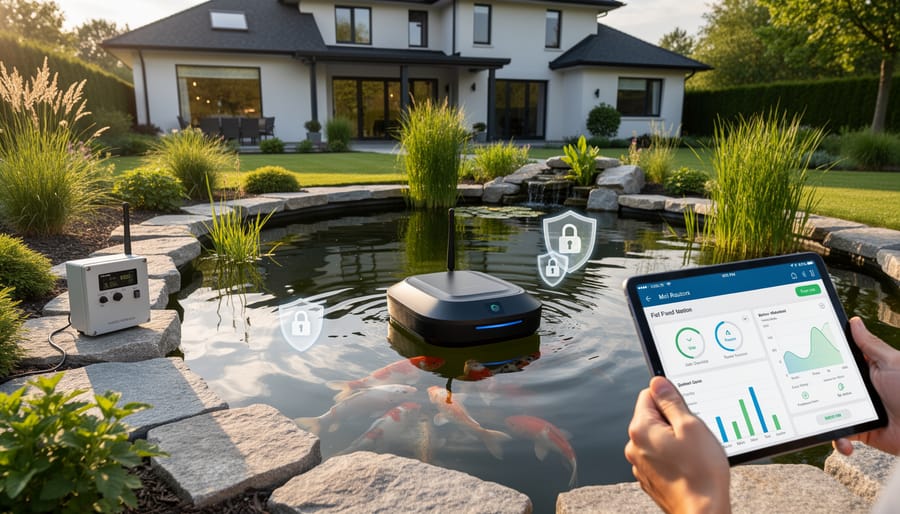
What Could Actually Go Wrong
Let me paint a picture of what could actually happen if your smart pond system gets compromised. Imagine waking up to find your automatic fish feeder has dispensed an entire week’s worth of food overnight because someone accessed your system and changed the settings. Your fish are stressed, the water’s cloudy with excess food, and you’re dealing with an ammonia spike.
Or picture this: you’re away on holiday, checking your pond camera to ensure everything’s running smoothly, only to discover strangers have accessed your camera feed and know exactly when your backyard is empty. Some folks have even reported their pond cameras being used to spy on their homes.
Here’s another real scenario: a hacker could disable your water circulation pump or UV filter, causing your carefully balanced ecosystem to deteriorate within hours. In summer heat, this could be catastrophic for your fish. I’ve heard from pond owners whose systems were disrupted simply because they used default passwords on their smart controllers.
The good news? These situations are entirely preventable with basic security measures. Protecting smart pond systems doesn’t require advanced technical skills, just awareness and simple Python projects that monitor and secure your setup.
The Devices Most at Risk
If you’ve upgraded your pond with modern technology, you’ve likely added some amazing conveniences. But here’s something many pond owners don’t realize: that smart pond equipment can be vulnerable to cyberattacks.
Let’s look at what’s commonly at risk in your backyard oasis. WiFi-enabled automatic feeders dispense food on schedule, but if compromised, someone could overfeed your fish or shut off feeding entirely. Water quality sensors monitor pH, temperature, and oxygen levels, sending alerts to your phone. Automated pond lights create beautiful evening displays. IP cameras let you check on your koi while you’re away. Pump controllers manage filtration systems remotely.
Why do these need protection? Each device connects to your home network, creating a potential entry point. Hackers can access your personal information, spy through cameras, or simply cause mischief by disrupting your pond’s delicate ecosystem. A compromised pump controller could shut down filtration, threatening your fish. The good news? Learning basic Python cybersecurity can help you safeguard these devices, and you don’t need to be a tech wizard to get started.
Why Python Makes Sense for Pond Security
If you’ve recently added smart technology to your pond—perhaps a Wi-Fi camera to watch your koi or automated feeders controlled by an app—you might be wondering how to keep these devices safe from hackers. Here’s the good news: you don’t need to be a tech wizard to start securing your IoT pond devices. Python, a programming language that’s perfect for beginners, makes DIY cybersecurity surprisingly accessible.
Think of Python as the friendly neighbor who’s always willing to help. Unlike other programming languages that can feel like learning ancient hieroglyphics, Python reads almost like plain English. When I first started protecting my own pond’s smart system, I was amazed that I could understand what the code was doing just by reading it. Commands like “check password strength” or “scan network” make intuitive sense.
Better yet, Python is completely free to download and use. You won’t need expensive software or subscriptions. It works beautifully with Raspberry Pi, those credit-card-sized computers that many pond hobbyists already use for monitoring water quality or controlling pumps. If you’ve got a Raspberry Pi running your pond setup, you’re already halfway there.
The Python community is enormous and incredibly welcoming to newcomers. Stuck on something? There are thousands of tutorials, forums, and helpful folks who remember what it’s like to be a beginner. Plus, Python comes with built-in libraries—think of them as pre-made tool kits—specifically designed for network security tasks. You’ll be writing useful security scripts for your pond system faster than you’d imagine, even with zero coding experience.
Getting Started: Your Python Security Toolkit

What You’ll Need
Getting started with Python cybersecurity for your smart pond is easier than you might think, and you probably have most of what you need already! First, you’ll need a computer (Windows, Mac, or Linux all work perfectly) or a Raspberry Pi if you’re running pond monitoring equipment. Don’t worry if you’re using an older computer – Python isn’t demanding on resources.
Next, you’ll need Python installed on your system. Head to python.org and download the latest version (it’s completely free). The installation wizard walks you through everything, and it takes just a few minutes. For writing your code, any basic text editor will do the job. Windows Notepad works in a pinch, but I recommend starting with something like Visual Studio Code or Thonny, which are both free and beginner-friendly.
Here’s the reassuring part: you don’t need any fancy equipment or expensive software. Everything we’ll use in these projects is free and open-source. If you can check your pond’s temperature on your phone, you already have enough tech-savvy to handle these cybersecurity projects. Think of it like setting up your first pond filter – it seems complicated at first, but once you follow the steps, it all clicks into place.
Installing Python the Easy Way
Getting Python installed on your computer is simpler than setting up a new pond filter, I promise! Let’s walk through this together, and you’ll be ready to start protecting your smart pond setup in no time.
For Windows users, head to python.org and click the big yellow “Download Python” button. Run the installer, and here’s the most important step: check that little box that says “Add Python to PATH” before clicking Install Now. Think of this like connecting all your pond pump’s electrical components properly – it just makes everything work smoothly later.
Mac users have it even easier! Open your Terminal (find it in Applications, then Utilities), type “python3 –version” and press enter. If you see a version number, you’re already set. If not, visit python.org, download the Mac installer, and follow the straightforward prompts.
For Raspberry Pi enthusiasts (perfect for pond monitoring!), Python usually comes pre-installed. Just open the terminal and type “python3 –version” to confirm.
Once installed, open your command prompt or terminal and type “python –version” to verify everything worked. You should see something like “Python 3.11.2” appear. That’s your green light to move forward!
Your First Python Security Test
Let’s make sure Python is ready to protect your smart pond equipment! Think of this as dipping your toe in the water before diving in. Open your text editor and type this simple script:
“`python
print(“My pond security system is ready!”)
security_status = “active”
print(f”Status: {security_status}”)
“`
Save it as test.py, then open your command prompt or terminal. Navigate to where you saved the file and type: python test.py
If you see “My pond security system is ready!” and “Status: active” pop up on your screen, congratulations! Python is working perfectly. This tiny script does exactly what your future pond security projects will do, just on a much smaller scale. It’s giving you information and confirming everything is running smoothly.
Don’t worry if it takes a few tries to get it right. I remember setting up my first pond automation and spending twenty minutes wondering why nothing worked, only to realize I’d saved the file in the wrong folder! These little victories build your confidence for the real cybersecurity projects ahead.
Project 1: Network Scanner for Your Pond Devices
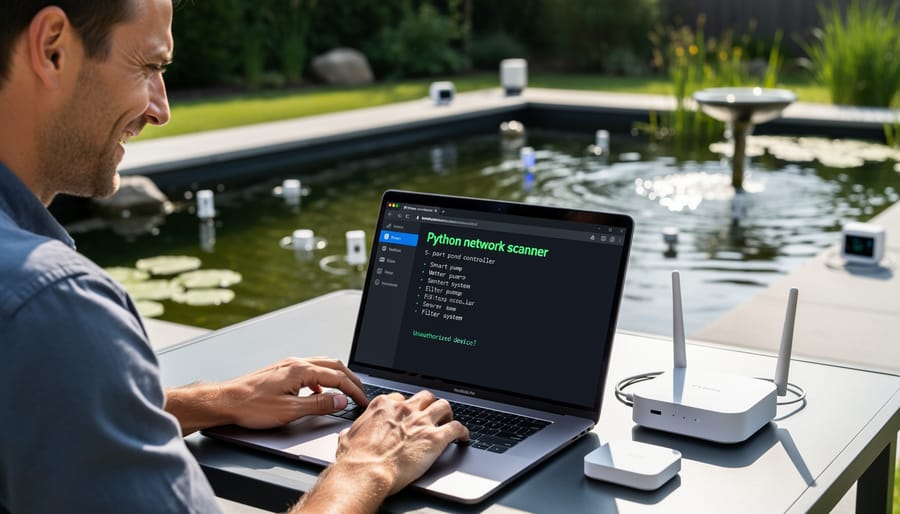
What This Project Does
This beginner-friendly project helps you discover exactly which devices are connected to your home network, including all those smart pond gadgets you’ve added over time. Think of it as taking attendance of your digital pond family. You’ll create a simple Python script that scans your network and lists every connected device, from your pond’s water quality monitor to your automated fish feeder. This is incredibly useful because many of us don’t realize how many smart devices we’ve accumulated around our ponds. By identifying these devices, you can spot anything unusual or unfamiliar that might be piggybacking on your network without permission. It’s like checking who’s actually swimming in your pond versus who wandered in uninvited. This awareness is your first line of defense in keeping your smart pond setup secure and running smoothly.
Building Your Scanner
Let’s build your first network scanner to check what devices are talking to your smart pond equipment! Think of this as creating a guest list for your pond’s network party. Don’t worry if you’ve never coded before – I’ll walk you through each step like we’re working on this together in your backyard.
First, we’ll use Python’s socket library, which comes built right into Python (no extra installation needed). Open a new file called pond_scanner.py and let’s start simple:
“`python
import socket
def scan_port(ip, port):
sock = socket.socket(socket.AF_INET, socket.SOCK_STREAM)
sock.settimeout(1)
result = sock.connect_ex((ip, port))
sock.close()
return result == 0
“`
Here’s what’s happening in plain English: We’re importing the socket tool, which lets Python talk to networks. The scan_port function is like knocking on a door – we’re checking if a specific port (think of it as a doorway) on your pond controller’s IP address is open. The settimeout(1) means we’ll wait one second for an answer before moving on. If result equals 0, that door is open!
Now let’s scan common ports your pond devices might use:
“`python
target_ip = “192.168.1.100” # Replace with your pond controller’s IP
common_ports = [80, 443, 8080, 23]
for port in common_ports:
if scan_port(target_ip, port):
print(f”Port {port} is open on your pond device!”)
“`
This loops through typical web and control ports. Port 23 is especially important to spot – that’s Telnet, an outdated protocol that’s like leaving your front door unlocked!
What to Do With Your Results
Once your scan completes, you’ll see a list of devices connected to your network. Take a moment to identify each one. Your smart pond pump might appear as a generic brand name or device type. Write down the IP addresses of your known pond equipment so you can easily spot them next time.
Look for anything unfamiliar or suspicious. If you see devices you don’t recognize, investigate further. Sometimes smart lights or thermostats have odd names, but unknown devices warrant attention. Compare your current scan to previous ones to spot newcomers.
Your next steps are simple. First, change default passwords on all your pond devices right away. Second, run your scan weekly to monitor for changes. Third, keep a simple log noting when you add new pond equipment. Think of this as your pond’s security diary. If you spot something concerning, disconnect your pond devices from WiFi temporarily while you research the unknown device. You’re now actively protecting your smart pond setup.
Project 2: Password Strength Checker for Pond Equipment
Why Pond Device Passwords Matter
Here’s the thing about smart pond equipment – those automatic feeders, water quality monitors, and smart pumps are amazing until someone else takes control of them. Most devices ship with embarrassingly simple passwords like ‘admin’, ‘password’, or ‘1234’. Manufacturers do this for convenience, but hackers know these defaults too. I learned this the hard way when my neighbor’s pond camera got hacked because he never changed the default login. Suddenly, strangers were watching his koi and potentially accessing his home network. Weak passwords are like leaving your garden gate wide open with a welcome sign for intruders. The scary part? Automated bots constantly scan the internet specifically hunting for devices with default credentials. Your pond equipment might seem like an odd target, but once compromised, it becomes a doorway to your entire home network, personal data, and other smart devices. Protecting your pond tech starts with strong, unique passwords – and in this article, we’ll show you how to check your own security using simple Python scripts.
Creating Your Password Tester
Let’s roll up our sleeves and build your first cybersecurity tool! Think of this password tester like checking the health of your pond water – you’re looking for specific qualities that tell you everything’s in good shape.
We’ll start simple and build up from there. Open your favorite text editor (even Notepad works fine) and create a new file called password_checker.py. First, we need our script to ask for a password to test:
password = input(“Enter a password to test: “)
Now here’s where the fun begins. We’ll check three important things, just like testing pH, ammonia, and nitrates in your pond. First, let’s verify the password is at least 8 characters long:
if len(password) < 8: print("Too short! Passwords should be at least 8 characters.") Next, we'll check for special characters (those symbols like !, @, #). Create a simple test: special_chars = "!@#$%^&*()" has_special = any(char in special_chars for char in password) Finally, let's protect against common weak passwords. Create a list of passwords to avoid (like "password123" or "12345678"). If someone's using these, your script will flag it immediately. I remember when I first set up my smart pond controller – I used "pond2023" as my password. Terrible choice! This checker would have caught that right away. As you test this script, try it with your actual passwords (we've all been guilty of weak ones). You'll be amazed how quickly you spot vulnerabilities, giving you the same satisfaction as watching crystal-clear water after a successful pond cleaning.
Testing Your Pond Passwords
Now let’s put your password checker to work! Start by testing your current pond device passwords. Simply run your Python script and input each password when prompted. The tool will instantly show you the strength level and point out any weaknesses. I tested my smart pond controller password last week and discovered it was weaker than I thought, which gave me the push I needed to improve it.
When creating new passwords for your pond equipment, aim for at least 12 characters mixing uppercase, lowercase, numbers, and symbols. Here’s a fun trick I use: think of a phrase related to your pond, like “My koi swim gracefully at 6am!” and use the first letters plus numbers: MksgA6a! It’s memorable because it connects to something you see daily, yet strong enough to protect your devices. Test each new password with your tool before saving it. Remember, you’re not just protecting technology, you’re safeguarding the health and safety of your aquatic friends who depend on those systems running smoothly.
Project 3: Automated Security Alert System

How Smart Alerts Protect Your Pond
Think of smart alerts as your pond’s digital watchdog. When you set up monitoring with Python, your script can send you a text or email the moment something unusual happens. For example, if your pond camera suddenly comes online at 2 AM when it should be off, you’ll know immediately. The same goes for unknown devices trying to join your network—maybe someone’s attempting to access your smart filter controller or water quality sensors.
The beauty of automated monitoring is that it works while you sleep. Your Python script continuously checks your network, comparing what it sees against a list of your approved devices. Anything new or suspicious triggers an instant alert to your phone. I learned this the hard way after a neighbor’s smart device accidentally connected to my network and caused confusion with my automated feeder schedule. Now my alert system catches these hiccups before they become problems, giving me peace of mind whether I’m at work or on vacation.
Setting Up Your Alert System
Let’s build your alert system so you’ll know the moment something unusual happens with your smart pond equipment! Think of this as creating a friendly watchdog that sends you a quick message whenever your pond’s security needs attention.
First, you’ll need to set up email notifications. We’ll use Python’s built-in smtplib library, which sounds fancy but works just like your regular email. Start by creating a new Python file called alert_system.py. Inside, you’ll import the necessary tools and set up your email credentials. For this, I recommend creating a separate Gmail account just for your pond alerts rather than using your personal email. This keeps things organized and more secure.
Here’s what you’ll do: Configure your Gmail account to allow “less secure app access” or generate an app-specific password. This tells Gmail that your Python script is allowed to send emails. Then, write a simple function that takes a message as input and sends it to your phone or email. Test it first with a friendly message like “Your pond monitor is online!”
For text notifications, most phone carriers let you send texts through email. Just send to your-number@carrier-gateway.com. For example, Verizon uses @vtext.com, AT&T uses @txt.att.net. It’s like a secret backdoor to your phone!
Common troubleshooting tips: If emails aren’t sending, double-check your email password and make sure your internet connection is stable. If you’re getting “authentication failed” errors, verify that you’ve enabled the correct Gmail settings. Sometimes antivirus software blocks these connections too, so you might need to add an exception.
Test your system by unplugging a pond sensor and watching for your alert. When that first notification pings through, you’ll feel like a real cybersecurity pro protecting your aquatic paradise!
Customizing Alerts for Your Pond
Now that you’ve got your security alerts working, let’s make them work for you, not against you! Think of this like training a watchdog – you want it to bark at strangers, not at your family members doing normal activities.
Start by adjusting sensitivity settings in your Python script. If you’re getting pinged every time the automatic feeder runs at 8 AM, add a simple time-based exception. For example, you might create a “maintenance window” where certain activities are expected and won’t trigger alerts. I learned this the hard way when my phone buzzed 15 times during a weekend water change!
Focus on monitoring what truly matters for your specific pond setup. If you only have a fountain and don’t use smart feeders, there’s no need to monitor feeding schedules. Customize your script to watch the devices you actually use – your pump controller, UV filter, or aerator.
Create a whitelist of trusted devices and normal behavior patterns. Your phone connecting at sunset to check temperature readings? That’s normal. An unknown device trying to access your pond controller at 3 AM? Definitely alert-worthy! Add comments in your code noting why certain activities are whitelisted – you’ll thank yourself later when reviewing the script months down the road.
Making Security a Habit (Not a Headache)
The best security system in the world won’t help much if you forget it exists! The good news? Once you’ve set up your Python cybersecurity projects, maintaining them doesn’t have to be complicated or time-consuming.
Think of your smart pond security like checking the water pH – it should become a natural part of your weekly routine. I like to review my security logs every Saturday morning with my coffee, right before I do my usual pond walkabout. It takes about ten minutes, and I’ve caught several weird login attempts that way. The key is making it as automatic as topping up your pond water.
Set calendar reminders to update your Python scripts and security libraries monthly. Python’s pip package manager makes this simple with a quick “pip install –upgrade” command. Yes, updates can feel tedious, but they patch security holes that hackers love to exploit. I learned this the hard way when an outdated library left my pump controls vulnerable!
Create a simple checklist and stick it near your pond equipment. Mine includes: check security logs, verify all devices are responding, confirm backup systems are running, and review any unusual access attempts. Integrate these checks into your existing pond maintenance routines so they don’t feel like extra work.
Consider joining online communities focused on smart pond technology. When you see others sharing security updates or concerns, it reminds you to stay vigilant. Plus, you’ll discover new Python tweaks and improvements from fellow pond enthusiasts.
Remember, cybersecurity isn’t about being perfect – it’s about being consistent. Even basic regular monitoring beats sophisticated systems that get ignored.
Protecting your smart pond doesn’t require a computer science degree or years of coding experience. As you’ve seen from these projects, pond cybersecurity is really about awareness and taking simple, manageable steps to safeguard your investment. Think of it like maintaining water quality—you don’t need to be a chemist to test your pH levels, and you don’t need to be a security expert to protect your smart pond equipment.
The beauty of starting with Python projects is that you can begin small. Pick just one project that resonates with your current setup. Maybe you start by creating a simple password manager for your pond devices this weekend. Once you’ve tackled that, you’ll feel more confident moving on to network monitoring or automated alerts. There’s no rush, and there’s no wrong place to start.
Remember, you’ve already invested time, money, and heart into creating a beautiful pond ecosystem. Your smart pumps, filters, and monitoring systems make pond keeping easier and more enjoyable. Spending a few hours learning basic security measures is a small price to pay to protect all that effort. You wouldn’t leave your pond pump running without occasionally checking on it—treat your digital security the same way.
The Clear Waters community is here every step of the way. Whether you hit a snag with your first Python script or want to share your success story, you’re not alone in this journey. Pond keeping and pond security go hand in hand, and we’re excited to support you in both.