

Why Your Smart Pond System Could Be a Hacker’s Next Target (And How to Protect It)
Your smart pond controller that automatically feeds your fish and monitors water quality is connected to the same home network as your banking apps, family photos, and personal emails. That convenient WiFi-enabled pump? It could be an unlocked door into your entire digital life.
Smart pond technology has revolutionized water gardening, letting you check oxygen levels from vacation or adjust your fountain from bed. But here’s what most pond owners don’t realize: every connected device in your backyard creates a potential entry point for hackers. And unlike your computer with its antivirus software, your pond equipment often ships with minimal security protection.
The good news? Protecting your smart pond setup doesn’t require a computer science degree. Most security vulnerabilities happen because devices use default passwords like “admin123” or connect to unsecured networks. Hackers scan for these easy targets constantly, and once they’re in through your pond controller, they can access everything on your network.
This isn’t about fear-mongering. It’s about taking simple, practical steps that make your pond technology work for you without risking your home security. In the next few minutes, you’ll learn exactly how to lock down your smart pond equipment using the same straightforward approach you’d take when installing a new filter or testing water parameters. No technical jargon, no complicated procedures, just clear actions that keep both your fish and your family safe.
What Makes Your Smart Pond ‘Smart’ (And Vulnerable)

The Devices That Run Your Water Garden
If you’re like me, you’ve probably fallen in love with the convenience of modern pond technology. These days, many water gardeners are upgrading to smart pond IoT devices that make maintenance easier than ever. Think automated feeders that dispense meals while you’re on vacation, Wi-Fi-enabled pump controllers you can adjust from your phone, and water quality sensors that alert you when pH levels drift.
I’ve personally been using a smart pond controller for two years now, and it’s transformed how I manage my koi pond. Other popular devices include automatic top-off systems that maintain water levels, UV sterilizer timers, temperature monitors, and even smart lighting systems that you can program for stunning evening displays.
The beauty of these gadgets is they connect to your home network, giving you remote access and real-time data. But here’s the catch: that same connectivity that makes them so convenient also creates potential security vulnerabilities. Understanding what you have connected is the first step in protecting your pond ecosystem and your home network.
How These Systems Connect and Communicate
Think of your smart pond system like a friendly neighborhood where everyone needs to chat. Your pump controller, water quality sensors, and automatic feeder are like neighbors who need to share information to keep your pond thriving. They typically communicate through your home Wi-Fi network, sending little messages back and forth about water temperature, oxygen levels, and feeding schedules.
Here’s how it works in simple terms: each device connects to your home internet router, just like your laptop or smartphone does. They send their data to a cloud service (think of it as a virtual filing cabinet in the sky), which then lets you check everything through an app on your phone. It’s surprisingly straightforward!
The catch? Every connection point is like a door into your home network. When your pond pump talks to the cloud, and the cloud talks to your phone, that conversation needs protection. Without proper security, someone could potentially peek into those conversations or even take control of your devices. That’s why understanding these connections matters, even if you’re not a tech wizard. The good news is that protecting these digital pathways is easier than you might think.
Real Risks to Your Backyard Pond Setup
Unauthorized Access to Your Systems
Imagine waking up to find your pond pump running at maximum speed all night, stressing your fish, or worse—your filtration system completely shut down. Unfortunately, this isn’t just a nightmare scenario. When smart pond equipment connects to your home Wi-Fi without proper protection, someone with malicious intent could potentially take control.
Think of your pond controller like the front door to your home. If you leave it unlocked, anyone can walk in. In 2019, security researchers demonstrated how easily they could access and manipulate internet-connected pool and spa controllers, adjusting temperatures and chemical dosing remotely. The same vulnerabilities exist in smart pond systems.
Real-world incidents include hackers gaining access to water treatment facilities through unsecured network connections. While these were larger-scale utilities, your backyard pond setup faces similar risks. Someone could turn off your aerator during hot summer nights when oxygen levels are critical, or manipulate UV clarifiers, leaving your water vulnerable to harmful algae blooms.
Understanding why hackers target ponds helps you grasp the importance of securing every connected device. The good news? Simple precautions can prevent unauthorized access and keep your aquatic paradise safe from digital intruders.
Data Privacy Concerns
Your smart pond devices are incredibly helpful, but they’re also quietly collecting information you might not think about. Your automatic feeder knows when you’re home and when you’re away. Your water quality monitor tracks your pond’s location and operational patterns. Your Wi-Fi connected filtration system has access to your home network, which means a security breach could potentially let someone peek into more than just your pond setup.
Here’s what matters most: these devices often store data about your daily routines, your property layout, and your network credentials. If someone gains unauthorized access, they could see when your home is unoccupied or use your pond equipment as a doorway into your home network where your computers, phones, and security cameras live.
Think of it like leaving your garden gate unlocked. Sure, someone might just want to admire your koi, but that open gate also leads to your back door. Many pond owners don’t realize their smart devices can communicate with other devices on the same network. A vulnerability in your pond controller could become an entry point for accessing your baby monitor, thermostat, or personal files. Understanding what your devices collect and who can access them isn’t paranoia, it’s just good digital housekeeping for protecting both your aquatic friends and your family’s privacy.
Equipment Malfunction from Cyber Attacks
When your smart pond equipment gets hacked, the consequences go far beyond inconvenience. I learned this the hard way when a neighbor’s compromised Wi-Fi network affected their automated pond system. Their water pump ran continuously for 12 hours overnight, creating dangerous currents that stressed their koi and uprooted several water lilies they’d been nurturing for years.
Cyber attacks can manipulate your equipment settings in devastating ways. Temperature controls might be disabled during a heat wave, leaving your fish vulnerable to oxygen depletion. Filtration systems could be turned off completely, allowing ammonia levels to spike to toxic levels within days. Automated feeders might dispense an entire month’s worth of food at once, creating water quality nightmares.
Even your UV clarifiers and aerators aren’t safe from interference. Imagine your aerator shutting down during winter, leading to ice formation that traps harmful gases and threatens your fish. The financial damage adds up quickly too, with equipment running at incorrect settings, burning out motors, or wasting electricity. What makes this especially frustrating is that these malfunctions look accidental, so you might not realize you’ve been compromised until serious damage occurs to your beloved water garden.
Simple Steps to Secure Your Smart Pond
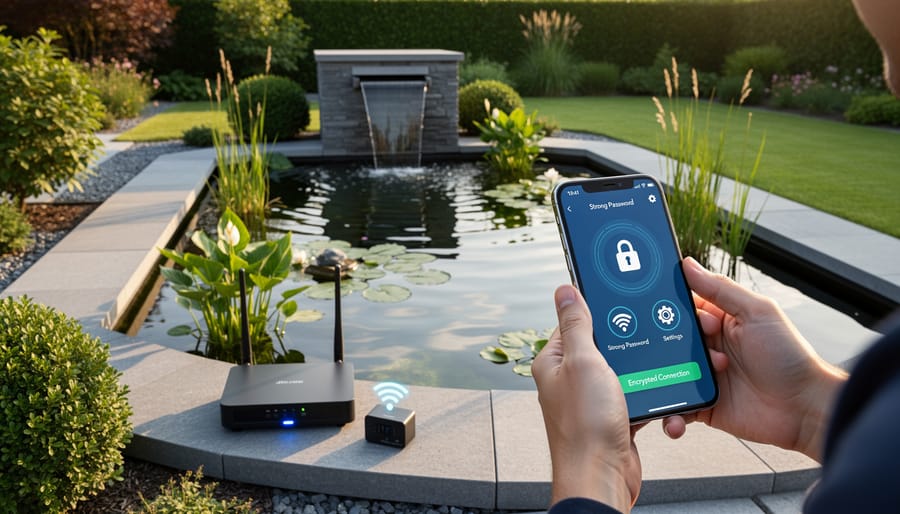
Start With Strong Passwords (Yes, Really)
I know, I know – you’ve heard the password lecture a million times. But here’s the thing: many smart pond devices come with factory-set passwords like “admin” or “12345,” and hackers know this. It’s literally the first thing they try when looking for vulnerable devices to hijack. Imagine someone accessing your pond controller and cranking up your waterfall pump while you’re on vacation, or worse, shutting off your aerator during summer when your fish need oxygen most.
Creating strong passwords doesn’t have to be complicated. Think of a memorable phrase related to your pond – maybe “My koi love their morning feeding at 7am!” Take the first letter of each word, mix in some numbers and symbols, and you’ve got “MklTmf@7a!” That’s way stronger than “password123” and actually easy to remember.
For those of us managing multiple smart devices (pond controller, outdoor cameras, smart lights), a password manager app can be a lifesaver. These apps securely store all your passwords, so you only need to remember one master password. Many are free and surprisingly simple to use. The key is changing those default passwords the moment you set up any new pond equipment – make it part of your installation routine, right alongside testing the device.
Keep Your Devices Updated
Think of firmware and software updates like vitamins for your smart pond equipment – they keep everything running healthy and strong! Those notification pop-ups asking you to update aren’t just annoying reminders; they’re actually critical security patches that fix vulnerabilities hackers could exploit to access your devices.
Here’s the good news: checking for updates is usually pretty straightforward. For most smart pond controllers and monitors, open the companion app on your phone and look for a settings or menu icon (usually three lines or dots in the corner). You’ll typically find an “About” or “Device Info” section that shows your current version and whether updates are available. Many devices can update automatically if you enable that feature – I highly recommend it!
For Wi-Fi-enabled pumps or filtration systems, the process is similar. Log into the manufacturer’s app, navigate to your device settings, and look for “Firmware Update” or “Check for Updates.” Set aside about 15 minutes for updates to install, and whatever you do, don’t unplug the device mid-update! I learned that lesson the hard way when my pond controller needed a complete reset.
Make it a monthly habit to check all your smart pond devices, just like you’d test your water parameters.
Secure Your Home Network
Think of your home network like your pond—everything’s connected, and one weak spot can affect the whole ecosystem. Your router is the gateway between your pond devices and the internet, so let’s make sure it’s locked down tight.
Start with the basics: change your router’s default admin password immediately. Those factory passwords are ridiculously easy to find online, and hackers know them by heart. Choose something strong and unique—not your pet’s name or your birthday. While you’re in there, update your router’s firmware. Most modern routers have an auto-update feature, so turn that on if available.
Here’s a game-changer for protecting pond controllers: create a separate guest network specifically for your smart devices. It’s easier than it sounds! Most routers let you set this up in minutes through their admin panel. By keeping your pond equipment on its own network, you’re essentially building a fence around it. If someone compromises your smart filter controller, they won’t have access to your main computers, phones, or sensitive data.
I learned this lesson when a friend’s compromised smart camera gave hackers access to their entire network. Now all my pond gadgets live happily on their own network island, chatting away without touching my work computer or financial information. It’s just smart compartmentalization.
Choose Security-Conscious Products
When shopping for smart pond equipment, think of security features as just as important as whether it monitors pH or controls your pump. I learned this the hard way when my first smart monitor had no password protection whatsoever! Now I always check a few key things before buying.
Look for devices that support strong password creation and require you to change default passwords during setup. Many budget options ship with passwords like “admin” or “1234” that never get changed. Your controller should also offer regular firmware updates from the manufacturer, which patch security vulnerabilities as they’re discovered.
Research the company’s reputation before purchasing. Read reviews specifically mentioning security, and check if the manufacturer has a clear privacy policy explaining how your data is handled. Established brands with good track records are worth the extra investment. I’ve found that companies actively supporting their products with updates and responsive customer service take security seriously.
Avoid devices requiring unnecessary permissions or collecting excessive data. Does your fountain controller really need access to your contacts? Probably not. Choose products that work on your local network without requiring cloud connections when possible, giving you more control over your pond’s digital security.
Monitor and Review Access Regularly
Make it a monthly habit to check who has access to your smart pond devices. Just like you’d review your pond’s water quality, take ten minutes to verify that only trusted devices and people can control your equipment. Remove any old phone connections or apps you no longer use. If your system has activity logs, skim through them occasionally to spot anything unusual, like your pump turning on at odd hours when you didn’t schedule it. Think of it as a security checkup for your pond’s digital health.
When to Go Smart vs. Staying Traditional
Here’s an honest truth I’ve learned after years of pond keeping: not everything needs to be smart. I know, coming from someone writing about cybersecurity for smart ponds, that might sound contradictory! But making thoughtful choices about when to embrace technology and when to keep things simple is actually one of the best security decisions you can make.
Think of it this way: every smart device you add to your pond is another potential entry point into your home network. That doesn’t mean you should avoid IoT water garden systems altogether, but it does mean being selective.
So when does it make sense to go smart? If you travel frequently or work long hours, smart monitoring for critical systems like filtration and aeration is genuinely valuable. The ability to catch a pump failure before you lose fish is worth the security considerations. Similarly, if you’re managing water quality issues, smart sensors that alert you to pH or oxygen changes can be lifesavers.
But that decorative fountain? The one that just adds ambiance? A simple timer or manual operation works perfectly fine. Same with pond lights that you only turn on when you’re actually outside enjoying your space.
My rule of thumb: if a failure could harm your fish or damage your ecosystem, consider smart technology with proper security measures. If it’s purely aesthetic or convenient, traditional methods are often simpler and safer.
This selective approach reduces your attack surface while still giving you the monitoring and control where it truly matters. You get peace of mind without unnecessary complexity, and honestly, there’s something satisfying about keeping some pond tasks delightfully low-tech.
Creating Your Personal Pond Security Checklist
Just like you wouldn’t skip checking your pond’s pH levels or cleaning your filter, cybersecurity deserves a regular spot in your maintenance routine. The good news? It’s easier than you think when you break it down by season.
Start with spring, when you’re bringing your pond back to life after winter. As you’re testing water quality and reconnecting equipment, take a moment to update the passwords on your smart devices. Make them strong and unique, mixing letters, numbers, and symbols. While you’re reconnecting pumps and filters, check that your devices are running the latest software versions. Manufacturers often release updates with important security fixes.
Summer is perfect for a deeper dive into your smart pond maintenance. When you’re already outside enjoying your water garden, pull out your phone and review which devices are connected to your home network. Remove any old equipment you’re no longer using. Check your app permissions too, making sure each device only has access to what it truly needs.
Fall brings preparation for cooler months. As you’re preparing plants and protecting fish, review your network security settings. Ensure your WiFi has a strong password and consider setting up a separate guest network for your smart pond devices.
Winter offers time for indoor tasks. Review your backup settings, ensure you can access your pond data if needed, and create a simple security log noting when you last updated passwords or software. This seasonal approach makes cybersecurity feel natural, not overwhelming.
Here’s the truth: protecting your smart pond doesn’t require a computer science degree or an expensive security consultant. The steps we’ve covered today are straightforward, practical, and well within your reach as a pond enthusiast who’s already mastered water chemistry and seasonal maintenance.
Start small if you’re feeling overwhelmed. Pick just one or two actions from our list—maybe changing those default passwords this weekend or enabling two-factor authentication on your pond controller app. Every small step makes your system more secure, and once you see how manageable it is, you’ll feel confident tackling the next item.
Remember, the most powerful security tool you have is awareness. Simply knowing what to watch for—whether it’s suspicious login attempts or unusual equipment behavior—puts you miles ahead of potential problems. You’re already observant about your fish and water quality, so extending that watchfulness to your technology is natural.
Your smart pond should enhance your enjoyment, not create stress. With these basic precautions in place, you can relax and appreciate what you’ve built: a beautiful, technologically advanced water garden that’s both secure and wonderful to experience. Now go enjoy that perfectly timed waterfall and those healthy, happy fish!